
Caliente, Nevada · Lincoln County
Excel Consulting Services in Caliente, NV
About a thousand people live in Caliente, and between them they run a railroad town, a county administration and a lot of grazing country. The reporting load has almost nothing to do with the population — Lincoln County files what any county files, and the ranches keep records measured in decades. JAAD Group builds and repairs the spreadsheets behind that, working by screen share so the drive to Las Vegas never enters the conversation.
- County and municipal files
- Ranch and grazing records
- Rail-schedule planning
- One-person office tooling
What a town of a thousand actually files
Small Population, Full-Size Paperwork
The defining feature of business here is a mismatch. Lincoln County covers more than ten thousand square miles and files the submissions any county files, but the office producing them is a fraction of the size. The ranches face the same imbalance from a different direction: very few transactions, very long horizons, and records that have to outlive the person keeping them.
Union Pacific still runs through the middle of town, and the businesses that support the railroad work to a calendar somebody else publishes. Crew rotations, service windows and equipment availability all get tracked against dates that are set externally and change without much notice, which is a modelling problem more than a bookkeeping one, and closer to scenario modelling than to accounts.
Ranching around the valley operates on a horizon most business software never contemplates. Herd records, feed costs, water rights and grazing allotments are tracked across years, sometimes across a generation. The transaction count is low and the consequence of a lost record is high, which inverts the usual priorities.
And the county offices carry the third load: budget submissions, headcount, procurement and public records, on statutory dates that do not adjust for how many people are available that week. Turning those into generated output is standard Excel automation work.
The pattern underneath
How Reporting Fails in a Very Small Office
The spreadsheet becomes an extension of one person's memory
There is a specific failure mode that shows up in places this size, and it is worth naming because it is rarely recognised as a problem until it causes one. When a single person handles the books, the filings and the day-to-day, the spreadsheet stops being a tool and becomes an extension of their memory. Which cell must not be typed over, which sheet gets updated first, which figure is always adjusted manually before it goes out — none of that is written anywhere. It works flawlessly right up until that person is unavailable, and then it does not work at all.
Hiring is not the fix, and rarely an option
That is not solved by hiring, because in a town of a thousand there is nobody obvious to hire and no volume to justify it. It is solved by making the tool explain itself: validation at the point of entry so bad data cannot get in, one calculation path per figure so nothing depends on a remembered adjustment, and documentation written for somebody who has never opened the file, which is why MS Office training ships with the build.
Long-lived records are written for a future stranger
The long-horizon records have their own version of the same issue. A grazing allotment or a water right is a document you will be asked about in ten years by somebody who was not involved when it was created. If the reasoning behind a number lives inside a formula, it is effectively gone. Pulling assumptions into a visible block is unglamorous work, and it is the difference between a record that answers a future question and one that merely stores a figure — the same requirement Yerington's reclamation contractors work under.
The information is nearly always already there
The good news is that none of this needs new software or a bigger budget. In almost every case the existing workbook already contains the right information in the wrong shape. Restructuring it is a days-long job, not a project, and it is usually the cheapest useful thing available, and it is ordinary Excel consulting rather than a project.
Geography changes what reporting has to do
Geography deserves a mention of its own, because it shapes the reporting more than most people outside the county would guess. Lincoln County covers over ten thousand square miles with roughly five thousand residents spread across it. A site visit is a half-day commitment before anything is discussed, which means anything that can be resolved without one gets resolved without one. Reporting has to travel well: a return that requires a phone call to interpret is a return that will sit unread until somebody finds the time to make that call.
The reasoning matters more than the figures
There is also a pattern specific to long-lived land records that is worth flagging. Grazing allotments, water rights and lease arrangements are frequently documented once, correctly, and then referred to for decades by people who were not present when they were set up. The original spreadsheet usually captured the numbers but not the reasoning — why a figure was apportioned that way, what the adjustment in column H compensates for, which year the basis changed. Recovering that later is archaeology. Recording it at the time costs about ten minutes and is the single highest-return habit in this kind of work.
Areas of work
What We Build for Lincoln County Businesses
Six services. For an operation this size, the first two account for most of what actually gets commissioned.

Rescue
Rescuing a File Nobody Else Understands
The single most common request from small offices: a workbook that works, that nobody can explain, and that everybody is slightly afraid of. We take it apart, write down what it does, and simplify whatever is clever for no reason.
- Reverse engineering when the person who built it has gone
- Written documentation aimed at a successor, not at an expert
- Simplification — removing cleverness that costs more than it saves
- Validation so bad entries are refused rather than corrected later
Related: Excel consulting
Automation
Turning Statutory Filings Into a Refresh
A county submission built by hand takes the same week every period, forever. Built properly, it draws from records you are already keeping and takes an afternoon. The deadline is fixed; the effort does not have to be.
- Statutory returns generated from your own data rather than reassembled
- Consolidation where the inputs arrive in several different formats
- Scheduled updates so figures are current before anyone asks
- Error trapping that stops a bad submission leaving the office
Related: Excel automation
Tooling
Custom Tools and VBA
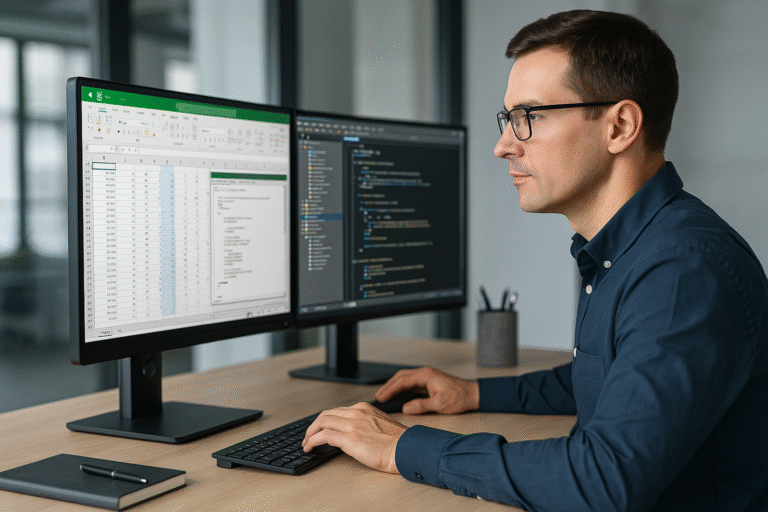
Where the office is one or two people, the most valuable thing code can do is remove the need to remember anything. A form on the front, rules underneath, and no way to put the wrong value in the wrong place.
- Guided entry forms instead of a grid people must not disturb
- Routines that run the same way whoever presses the button
- Legacy macro repair where nobody wants to touch the code
- Small add-ins so a shared tool updates in one place
Related: VBA and macro development
Reporting
Reports for an Outside Reader
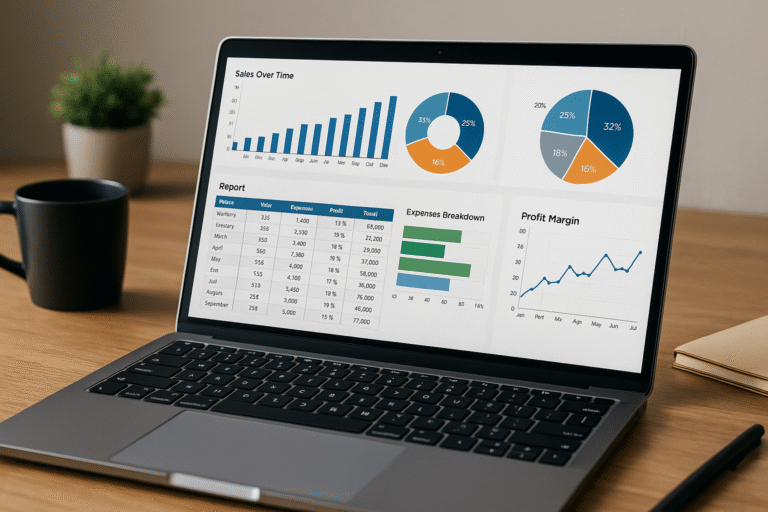
Most reporting that leaves this county is read by somebody with no context who cannot ask a follow-up question. That changes what a good report looks like: it has to carry its own explanation.
- Submission-ready formats matched to what the recipient expects
- Traceable figures, each with one visible calculation path
- Multi-year comparison that does not require rebuilding history
- Flagged exceptions rather than silent mismatches
Related: Excel reporting
Modeling
Long-Horizon Models
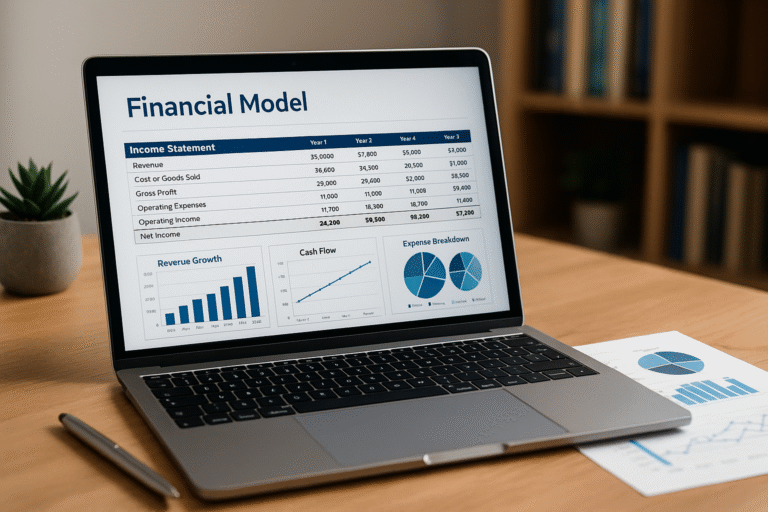
Ranch and land planning runs on decades. A model built for a three-year horizon will not survive that, mostly because its assumptions are scattered and undocumented rather than because its maths is wrong.
- Assumptions in one block, labelled and dated
- Scenario switching rather than a folder of near-identical files
- Succession-ready structure for records that get handed on
- Cost horizons in years, not forced into monthly columns
Related: Excel financial modeling

Support
Help When It Breaks, and Training So It Does Not
Some jobs are an hour on a shared screen the morning something stops working. Others are teaching the two people who use the file how it actually behaves, so the next question answers itself.
- Urgent sessions when something has failed today
- Training on your own file, not a sample workbook
- Handover notes written for the next person in the chair
- Occasional retained hours where there is no in-house depth
Related: Excel expert help and MS Office training
Where these projects start
Eight Things We Hear From Small Offices
Each of these has a fairly standard answer, and none of them requires new software.
"If she is away, the reporting simply stops."
The central risk in a one-person back office. The answer is almost never another hire. It is writing down what is currently remembered, moving the manual adjustments into the tool itself, and automating the parts that run the same way every time.
"Our schedule is set by the railroad, not by us."
Then the external calendar has to live in the workbook as data rather than as a set of manual corrections applied each period. Once it does, the rework disappears and the plan updates itself when the schedule changes.
"The county filing takes a week out of every cycle."
It is being assembled from scratch when it should be generated. The underlying records almost always contain what the return needs; they just do not carry it in a form the return can read.
"Someone will ask about this in ten years."
Which makes it a documentation problem before it is a spreadsheet problem. Assumptions get pulled into a visible block, each figure gets one calculation path, and the reasoning stops living inside a formula where it will be lost.
"We are too small for anyone to bother with."
Small work is often the most worthwhile. Two hours that remove a recurring weekly chore return more to a one-person office than a large system would, and cost a fraction of one.
"The numbers are probably fine, but nobody is certain."
That uncertainty is itself the problem, and it is usually cheap to remove. Tracing each reported figure back to its source and adding a check that flags a mismatch converts a vague worry into a settled question.
"The file works but nobody can explain why."
Very common where a workbook has been maintained rather than designed. It usually contains several layers of workaround, each solving a problem that no longer exists. Reading it properly and writing down what it actually does tends to remove a third of it outright.
"We keep the same information in three different places."
Which guarantees they disagree eventually, and that nobody knows which one to believe when they do. Nominating one as the source and generating the other two from it is usually a half-day change with a permanent effect.
A quick diagnostic
When a Small Office Should Stop Patching and Start Fixing
This work rarely gets scheduled. It happens after something breaks, or after a figure turns out to have been wrong for two years. These are the earlier warnings:
- The routine lives in one person's head and has never been written down
- Certain cells must not be touched, and everybody knows which by habit
- Figures are adjusted by hand before every submission, always the same way
- A filing takes days that the underlying records could produce in minutes
- Nobody opens the macros because their author left years ago
- Comparing across years means rebuilding the comparison by hand each time
- Errors get caught downstream by a recipient rather than at entry
- The phrase "we should get proper software" has been said, and never costed
The cost of leaving it
In a very small office the wasted time is not payroll, it is capacity. There is no slack to absorb a week spent assembling a return, so it comes out of something else — usually the work that would have moved the operation forward.
The larger exposure is concentration. When one person is the process, their absence is not an inconvenience, it is a stop. That risk sits there quietly for years and then arrives all at once, generally at the least convenient moment.
How we start
We look at the file and at the routine around it before proposing anything. In offices this size the finding is frequently that a short restructuring solves the entire complaint, and the honest recommendation is to do that and leave the rest alone.
If the real answer is that the workbook is being asked to do something Excel is wrong for, you will hear that too. Either way the consultation costs nothing and ends with a straight answer rather than a proposal you have to evaluate.
Delivered work
Three Builds and Their Measured Outcomes
These are real projects for real clients. The figures are the ones those clients recorded once the work was in use.

Accuracy up
66%
Budgeting across thirty companies
- What they had
- A group overseeing thirty companies, each budgeting separately, with the consolidation done manually and several people needing access to parts of the same file without seeing the rest.
- What was delivered
- A budget template with tiered access, VBA rolling approved figures into a master sheet, interactive payroll, tax and benefits inputs, and a clean load into the accounting software.
- What changed
- Manual re-entry was removed entirely. Accuracy improved 66%, the process ran more than ten times faster, and reforecasting mid-year became realistic instead of theoretical.

Forty hours
recovered monthly
Fifty sources, one document
- What they had
- Operations reporting maintained by hand for both internal use and external funding institutions, with a single refresh taking up to three days of somebody's week.
- What was delivered
- A program consolidating over fifty sources into one document in roughly five minutes, with the ability to inspect each source first and to generate drafts for side-by-side comparison.
- What changed
- An eight-hour job became a minutes-long one, giving back at least forty person-hours a month.

From nine minutes
to thirty seconds
A file that had become unusable
- What they had
- Locating a single record among 1,200 rows took up to nine minutes, the result of stacked array formulas and years of accumulated code nobody had reviewed.
- What was delivered
- The underlying data was moved onto Excel tables, pivot tables and slicers took over the search, and the surplus VBA and array formulas were removed rather than optimised around.
- What changed
- The same lookup now takes thirty seconds on unchanged hardware. The problem had always been structural, never computational.
Where this applies
Industries We Serve
JAAD Group's six areas of work, described as they appear in and around Lincoln County.

Finance and Accounting
Cash flow management, P&L tracking, budget analysis. Locally that is county budgeting and very small business books, both handled by people who have several other jobs the same day.

Real Estate & Construction
Investment models, cost forecasting, expense tracking. Ranch land, grazing allotments and the water rights attached to them, measured over decades rather than quarters.

Manufacturing & Logistics
Supply chain analysis, production scheduling, vendor performance. Rail-adjacent supply and service work, planned around a schedule the railroad sets rather than the business.

Retail and E-commerce
Inventory monitoring, sales tracking, profit calculations. A handful of businesses serving the town and the traffic passing through, where simplicity is a feature and not a compromise.

Healthcare & Insurance
Patient record systems, policy tracking, compliance reports. Rural clinic and county benefits administration, at the smallest scale that still has to satisfy full requirements.

Education & Training
Enrollment reports, course progress dashboards, grant tracking. School district reporting for small cohorts, filed on dates set well outside the county.
If your industry relies on Excel for financial analysis, data tracking or reporting, we can optimize and automate your workflows to save time and improve performance.

How it works
Five Stages, Starting With a Free One
Nothing is quoted before the file has been looked at, and plenty of first calls end without a project.
Talk it through
You explain what the workbook is for and where it lets you down. Sending it across makes the conversation much more useful, though it is not required to have one.
Audit the file and the habit around it
What feeds it, who edits it, which corrections get made every single time. The manual corrections are usually where the real problem is hiding.
Fixed written scope
Deliverable and price, agreed before anything is built. Having already examined the file, there is no reason to leave the cost open-ended.
Build in stages you can see
Working versions as they are produced. Changing direction is cheap in week one and expensive in week four, so the visibility is deliberate.
Hand it over properly
Documentation, source code, and training for whoever will actually use it. A tool that only its author can maintain has relocated the risk, not removed it.
Who does the work
Jeff Mattus
Owner & President, JAAD Group
JAAD Group is Jeff Mattus, working from a Computer Science background and more than twenty-five years of building Excel and Office tools for businesses. That background matters for a specific reason: it produces solutions that are structurally sound and still usable by somebody who has never written a line of code.
Those years span finance, healthcare, technology and real estate. The practical benefit is pattern recognition — a problem that feels unique to your operation has usually appeared somewhere else in a different form, which is why the first call tends to produce a diagnosis rather than a discovery phase.
For a Lincoln County business the relevant detail is simple: you speak to the person who will do the work. There is no account manager, no offshore build team, and nobody inheriting the job after the scope is signed.
Organizations we have built for
Trusted With Business-Critical Spreadsheets














Why a specialist
What This Is Not
Not a general IT firm
Excel, VBA and Office automation are the entire practice. That narrowness is why the first-call diagnosis is usually accurate.
Not a rebuild by default
If your file can be repaired instead of replaced, that is what gets recommended — even though it is the smaller job.
Not dependent on being nearby
Everything happens over a shared screen. Lincoln County gets the same attention as anywhere else and pays nothing toward travel.
Not a black box
Documentation and training ship with the work. You are not buying a dependency, you are buying a tool you own.
Not a brochure claim
The numbers on this page were measured by clients after the fact, and the projects behind them are described in full above.
Not handed off
The person who scopes it builds it. For a small office that continuity is most of what makes the engagement work.
Questions
Frequently Asked Questions
Is a town this size really worth a consultant's time?
Yes, and often more clearly than a large one. In a big organization a saved hour disappears into a rota. In a one-person office it is the difference between getting to the actual work that week and not.
The projects here tend to be small and precise rather than large, which also means they are affordable in a way a system replacement never is.
Everything depends on one person. How do we reduce that risk?
By moving what is currently remembered into the tool itself. Validation so wrong values cannot be entered, one calculation path per figure so nothing relies on a manual adjustment, and documentation written for somebody who has never seen the file.
That is usually cheaper and more effective than adding a second person, particularly where there is no obvious second person to add.
Our reporting has to make sense in ten years. Can that be built in?
It has to be, or it will not survive. Assumptions go into one visible, labelled block rather than inside formulas, every figure gets a single traceable path, and nothing significant is hard-coded where a future reader will not think to look.
This is the least glamorous part of the work and reliably the part clients are most glad of later.
We work to the railroad's schedule, not our own. Does that complicate things?
It changes what the model is built on. An external calendar belongs in the workbook as data, so when it shifts the plan updates rather than being manually corrected.
Most of the recurring rework in schedule-driven businesses comes from treating somebody else's timetable as a series of one-off adjustments.
How much does this cost?
Scope decides it, which is why we look at the file first and why the consultation is free. A single automated filing or a formula audit is small and fixed-price. A larger system with access levels and an integration is staged.
You get a written scope and a price before any building starts, so the decision is yours with full information.
Does remote consulting work for somewhere this isolated?
It is precisely what makes it viable. The work is examining your file together on a shared screen, which is unaffected by distance.
It also means an urgent problem gets attention the same day, and no part of your invoice is somebody's drive time.
Can you work on a file whose author has left?
That is a substantial share of what we do. The file gets reverse-engineered, the fragile parts identified, and either repaired or rebuilt where repair is not sensible.
We do not need the original author. We do need a conversation with whoever reads the output, because agreeing what the numbers mean is the genuinely hard part.
How long will it take?
A single automated return is often a few days. Restructuring an inherited workbook is commonly one to two weeks, subject to what the audit finds. A staged system runs over several weeks.
That estimate is written down before work begins, not discovered along the way.
What do we actually receive at the end?
The workbooks themselves, the macro source code, written documentation of how it all operates, and training for the people who will use it.
There is no lock-in and no subscription. Support afterwards is available and entirely optional.
Can you work with records that are decades old?
Yes, and it is common here. The difficulty is rarely the age of the data — it is that the reasoning behind old figures was never written down, so nobody can say why a particular apportionment was made or when the basis last changed.
The work is partly reconstruction and partly making sure it never happens again: recording the why alongside the what, so the next person inheriting this does not face the same problem.
We have the same figures in three separate files. Is that a problem?
It is one of the more reliable sources of trouble. As long as all three agree nobody notices, and the moment they diverge there is no way to establish which is right.
The fix is to nominate one as the source of truth and generate the others from it. The familiar formats can all stay exactly as they are; they simply stop being maintained separately.
Do we need to be on a particular version of Excel?
Almost never. Most of this work runs on any reasonably current version, and where a feature would require an upgrade we say so before building rather than after.
Where an office is on something genuinely old, it is usually still cheaper to build within its limits than to upgrade, and that is a judgement made at the audit stage.
Do you only work in the industries listed here?
No. Those are simply where most of the work has been. The limit is the nature of the problem, not the sector it sits in — if it is a spreadsheet problem, it qualifies.
Grazing records, a county budget, a rail supply schedule, a clinic rota: structurally these are the same job.
Also serving
Excel Consulting Across Nevada
Delivery is remote, so location changes nothing about the service. Other Nevada towns with their own pages:
For a specific service, see Excel automation, VBA and macro development, Excel reporting, financial modeling, Excel consulting or Excel expert help.
Caliente is the hub here — schematic, not to scale
Show Us the Spreadsheet
Send the file or describe what it is doing wrong. You will get a direct assessment of the problem and what it would take to solve, with no obligation attached.
949-464-7489JAAD Group Excel Consulting · 2937 Hawksdale Dr, Las Vegas, NV 89134
Working remotely with Caliente and businesses across Nevada